

Top 10 Most Followed TikTokers in the World
October 13, 2026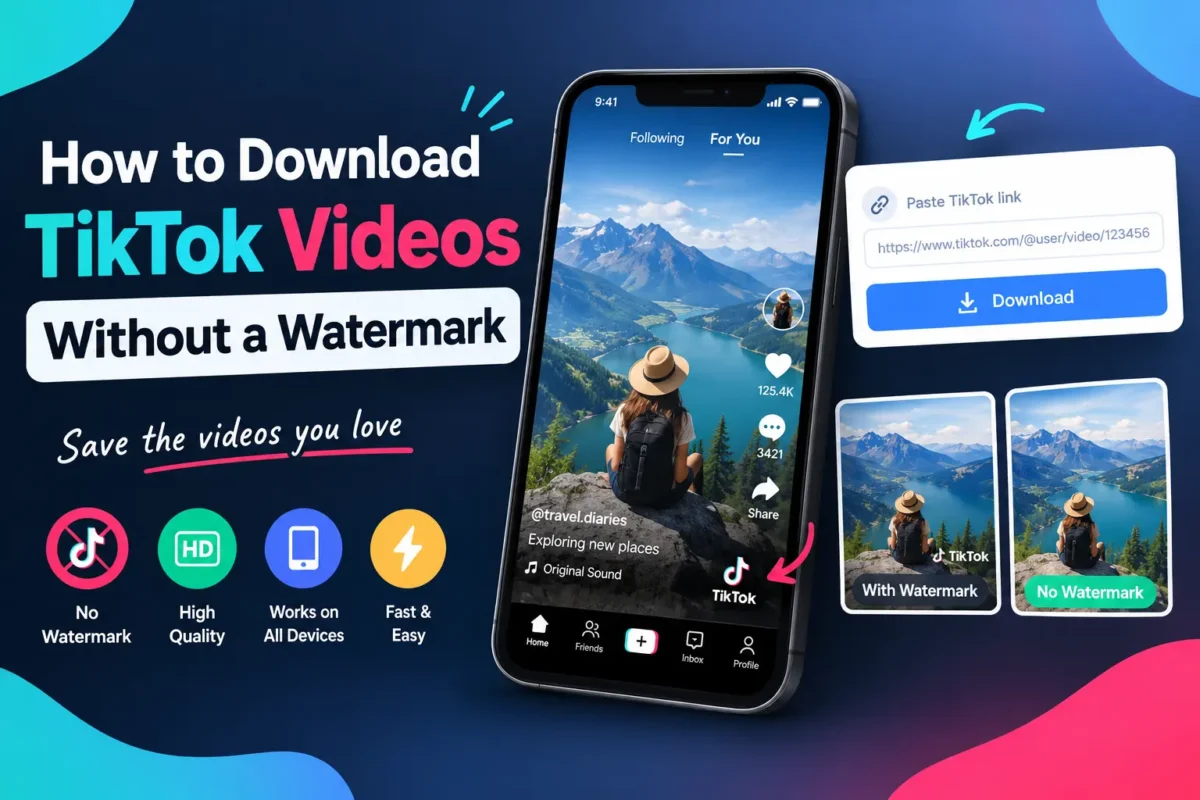
Sometimes, you find a TikTok video that you want to keep, but the version you save is not quite what you expected. A moving logo appears over the footage, the creator’s username sits in the corner, or the downloaded file does not look as clean as the video you watched.
This can be frustrating when you want to save your own content for editing, keep a useful tutorial for offline viewing, or organize videos you have permission to use.
Saving TikTok videos can be done in a number of ways, and the one that works for you depends on your goals.
In this guide, we will explain how to download TikTok videos without a watermark, how to choose a suitable method for different situations, what happens to video quality, and how to avoid common mistakes when saving a clip.
What Does a Watermark-Free TikTok Video Actually Mean?
A watermark-free video is a version of a clip that does not display the TikTok logo and username overlay associated with the platform’s standard saving process.
However, it is important to understand that not every mark or piece of text in a video is a watermark.
Consider a video that contains three different elements:
- Platform watermark: The TikTok logo and account identifier displayed over the footage.
- Creator-added text: Captions, labels, stickers, or other text placed in the video during editing.
- Video content: Everything originally recorded or included in the creator’s finished edit.
These elements are not interchangeable. A download without the platform watermark may still contain all the text, stickers, and graphics the creator added.
This distinction matters because a watermark-free download does not necessarily mean a completely unedited video or the original camera file.
How to Download TikTok Videos Without a Watermark
You can download publicly accessible videos using a browser-based downloader if you are authorized to do so.
Step 1: Find the Correct TikTok Video
Go to TikTok and find the video you want to save.
Make sure you have selected the individual post rather than the creator’s profile. A profile link and a video link point to different destinations, and confusing them can cause a downloader to reject the URL.
If the video belongs to someone else, check whether you have permission to download or reuse it for your intended purpose.
Step 2: Copy the Video Link
Tap the Share icon on the video and select Copy link, if that option is available.
If you are using TikTok in a desktop browser, you can copy the video URL from the address bar.
Keep the copied link intact. Removing characters or copying only part of the address can prevent the downloader from identifying the post.
Step 3: Open TikTokDownloader.blog
Visit TikTokDownloader.blog using your preferred browser.
Locate the downloader input field and paste the TikTok video link.
A browser-based tool can be convenient because you do not need to install a separate application simply to submit a link.
Step 4: Check the Available Download Options
Submit the link and wait for the website to process it.
If the video is supported, review the download options that appear. Choose a watermark-free option only if the website actually offers one for that particular video.
Not every URL or post format will necessarily work, so avoid assuming that every TikTok video can be processed successfully.
Step 5: Save and Check the File
Once the download is available, save the file to your device.
Open it and check three things:
- Does it play from beginning to end?
- Is the audio present and synchronized?
- Is the watermark-free result the version you intended to save?
A quick check can help you identify an incomplete download before you move the file into another folder or editing project.
Which Method Should You Use?
The best method depends on whether you are saving your own work, collecting a video for offline viewing, or preparing content for an editing project.
Method 1: Use Your Original Video File
If you created the TikTok video yourself, start by looking for the original export on your phone or computer.
This is usually the most straightforward way to obtain a clean copy because the original file may exist before the platform adds any watermark during its saving process.
You may find it in your camera roll, your editing application’s export folder, or a backup location.
This method is particularly useful if you want to edit the video again, change its aspect ratio, or publish it on another platform.
Best for: Creators who want to reuse their own footage at the highest quality available from their original export.
Method 2: Use TikTok’s Built-In Save Feature
TikTok offers a built-in option for saving videos when the creator and post settings allow it.
Open the video, tap Share, and look for Save video.
This is a convenient choice when you want a straightforward copy for personal viewing. However, the saved version may include the TikTok watermark, and the option may be unavailable for some posts.
If you specifically need a watermark-free version, check the available options before relying on this method.
Best for: Quick personal saves when a watermark is acceptable.
Method 3: Try an Online TikTok Downloader
An online downloader may offer a watermark-free version of a supported video through a web browser.
The general process is to copy the video link, paste it into the tool, submit it, and select an available download option.
The outcome depends on the tool, the post, and whether the video is accessible. Some links may fail, and the output quality can vary.
Best for: People who need to save an accessible video through a browser without installing dedicated software.
Method 4:The original file should be obtained from the creator
If you need a clean copy for a professional project, contacting the creator may be the better option.
They might be able to share the original export directly, along with any permission needed for your intended use.
An original file can be particularly valuable if you need to edit the footage, preserve quality, or publish it in a different format.
Best for: Business projects, collaborations, editing work, and other situations where the original source matters.
Does Downloading Without a Watermark Reduce Video Quality?
Not necessarily. The presence or absence of a watermark does not, by itself, determine the resolution of a video.
A watermark-free file may still be compressed, while a file with a watermark may have a perfectly acceptable resolution.
Several factors influence the final result:
Source quality: A low-resolution upload cannot become a genuine high-resolution original simply because you select an HD option.
Compression: Video platforms may process uploaded footage, which can affect fine details, movement, and image clarity.
Available download version: Different tools may return different versions of the same video.
Audio processing: A file can look correct but still have missing or out-of-sync audio if the download is incomplete or the format is handled incorrectly.
If quality is important, compare the downloaded file with your source wherever possible. For your own videos, retaining the original export is generally the best way to preserve the version you created.
How to Download TikTok Videos on Different Devices
The basic process is similar across devices, but finding the finished file can be different.
On an iPhone
Open TikTok, copy the video link, and visit the downloader in Safari or another browser.
After processing the link, select an available download option. Check Safari’s Downloads list or the Files app to locate the file.
If you want it in Photos, use the available save or share option if the downloaded format supports it.
On Android
Copy the video link from TikTok and open your preferred mobile browser.
Submit the URL through the downloader and save the available file.
Look in the Downloads folder or your device’s file manager if the video does not appear immediately in your Gallery.
On Windows or Mac
Open TikTok in a browser, copy the video URL, and paste it into the downloader.
After the file is saved, check your browser’s download history or the default Downloads folder.
Desktop computers are particularly convenient when you want to organize files into project folders or import them into a video editor.
Why Your TikTok Video May Not Download Without a Watermark
A failed download does not always mean you have done something wrong.
Here are some possible explanations.
The Link Is Incorrect
A link to a creator’s profile may not identify the individual video. Copy the URL directly from the specific post and try again.
The Video Is Unavailable
Deleted posts, private content, and restricted videos may not be accessible through an external downloader.
Having a link does not automatically provide permission to access a video.
The Downloader Does Not Support That Post
Some tools support standard video posts but may not process photo slideshows or other formats in the same way.
If one post fails while another works, the difference may be related to the content format or availability.
The Download Is Incomplete
A weak internet connection or a temporary service issue can interrupt the process.
Check your browser’s download history before submitting the same link repeatedly. If the file is incomplete, retry once your connection is stable.
The Result Still Contains a Watermark
The selected option may not have provided a watermark-free version, or the service may not support that particular post.
Check the actual downloaded file rather than relying only on the button’s label.
Is It Safe to Use a TikTok Downloader?
A few precautions can help you avoid unnecessary risks.
Use websites that clearly explain how their tools work. Avoid entering your TikTok password into third-party download pages, and be cautious about unexpected redirects, suspicious advertisements, or requests to install unfamiliar software.
You should also consider what happens to the video after it is downloaded.
A publicly viewable post is not automatically free to republish. Removing a watermark does not transfer ownership or grant permission to use another person’s footage commercially.
If you want to reuse a video in an advertisement, a business account, a client project, or another public post, check the applicable rights and obtain permission when needed.
For your own content, keeping the original file and a backup is a more reliable long-term solution than depending on a third-party downloader.
Frequently Asked Questions
Can I download TikTok videos without a watermark for free?
Some online tools provide free downloads of supported videos without the TikTok watermark. Availability and download options depend on the service and the individual post.
Can I download a TikTok video without installing an app?
Yes, a browser-based downloader may allow you to submit a video link without installing an additional application. The result depends on whether the link is supported.
Does a watermark-free download remove captions from the video?
Not necessarily. Captions and graphics added by the creator are usually part of the video itself. A watermark-free version may still contain them.
Can I download a TikTok video in HD?
The available resolution depends on the source video and the version returned by the downloader. Selecting an HD option does not guarantee that the original footage was recorded in high resolution.
Where can I find my downloaded TikTok video?
On many Android devices and computers, the file is saved in the Downloads folder. On an iPhone, check your browser’s download history or the Files app.
Why is the Save video option missing on TikTok?
The option may be unavailable because of the creator’s settings or restrictions associated with the post. Check the options provided by TikTok rather than assuming that every video can be saved.
Is a watermark-free TikTok video safe to repost?
Not automatically. You may need the creator’s permission or other rights to republish the footage. A watermark-free file is not the same as copyright-free content.
Final Thoughts
Downloading a TikTok video without a watermark is not just about finding a website with a download button. It is about choosing a method that suits the content, the quality you need, and the way you plan to use the file.
If you created the video, your original export is often the best starting point. For personal saves, TikTok’s own feature may be sufficient. If you need a browser-based option, an online downloader can be useful for supported videos.
You can try submitting a video link at TikTokDownloader.blog and check which options are available.
Whichever method you choose, check the finished file, keep a backup of important content, and respect the creator’s rights when saving or reusing videos.